
QuickBooks Pro, Hosted for Teams That Have Outgrown One Desktop
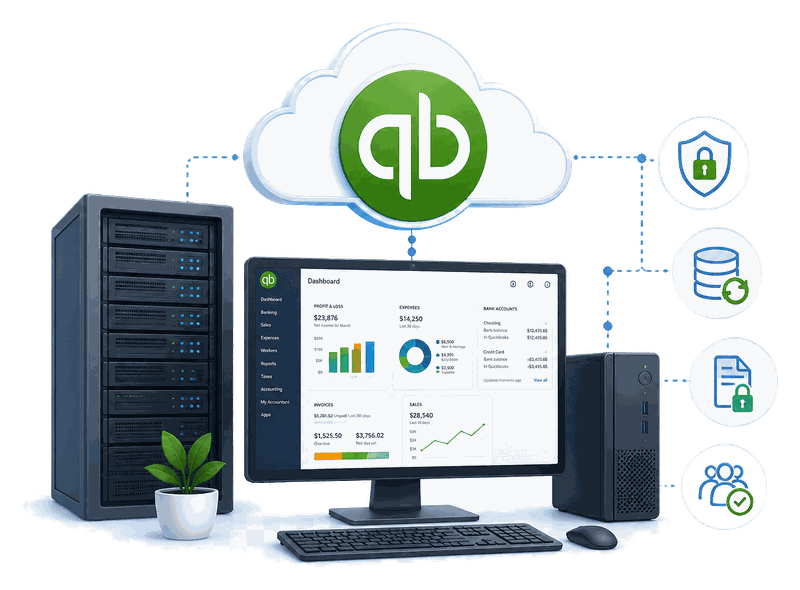
QuickBooks Pro is trusted financial record-keeping software with a proven feature set for growing businesses. Running it as a single desktop install limits you to one user, one machine. Cloud Innovics hosts QuickBooks Pro so your whole team can work from it — from any device, anywhere.
Top Features of QuickBooks Pro
QuickBooks Pro helps small and medium businesses cut overhead by organizing accounting data in systematic order. Here’s what it does best.
Money Management
Add recurring company bills with due dates, so payments track automatically and go out before penalties hit.
Enterprise Billing
Manage expenses carried out on behalf of clients cleanly, the way client-facing service work demands.
Create Invoices
Send invoices on time for swift payment, and keep unpaid ones visible instead of falling through the cracks.
Reporting
Generate the financial reports your business planning and meetings actually run on.
Why QuickBooks Pro Is Crucial for Your Business
Cloud Innovics hosts QuickBooks Pro remotely, so it never has to live on a single desktop. You get access from any device, anywhere, lower maintenance overhead, and secure multi-user access built in from day one.
Everything Included With Your QuickBooks Pro Hosting
Make Accounting Management Easier
Running QuickBooks Pro on a local machine means one user, one computer — and real risk. A damaged computer means lost files, daily backups eat time, and without a shared network, only one person can work in it at once.
Everything Will Be on Your Fingertip
Hosting it on the cloud removes all of that — multiple users work simultaneously with unlimited bandwidth keeping performance fast, data stays protected from physical damage and malware, and you only pay for the storage you actually use.
QuickBooks Pro hosting plans for every business size
Transparent per-month pricing — no hidden setup fees. Switch tiers anytime as your business grows.
Value
Additional Pricing
Need a custom setup? Get a tailored quote for your business’s user count and storage needs.
Secure server locations, close to you
Our data centers sit in risk-free zones shielded from natural disasters, with enterprise power, cooling, and network redundancy — positioned to keep latency low no matter where your team logs in from.
Know Your License
Before You Host Pro: What Intuit Says
Hosting changes where QuickBooks runs, not what your Intuit license allows. These are Intuit’s own statements, last reviewed 28 October 2026.
Intuit changes these policies from time to time, so confirm on Intuit’s Desktop service discontinuation policy. For a comparison with QuickBooks Online, see our Desktop vs Online guide.
Migration & Onboarding
How Your Company File Moves to Hosted QuickBooks Pro
Moving Pro to the cloud is a short, ordered process. Here is what happens.
Security & Compliance
Certifications your compliance team will recognize
The same audited infrastructure secures every company file you host with us. Our infrastructure holds SOC 2 Type 2 certification directly; the facilities it runs in separately maintain the certifications below at the facility level.
Independently audited security controls
Information security management (facility level)
Safeguards for sensitive client records (facility level)
Payment data handling standards (facility level)
Type 2 service organization controls (facility level)
Hosting vs. Local Install
QuickBooks Pro Hosting vs. Running It Locally
Hosting keeps the Intuit license you already own and changes where Pro physically runs. Here is how that compares with a local install.
| Hosted Pro | Installed Locally | |
|---|---|---|
| Remote access | Sign in from any device or location | Tied to the office network unless you set up remote access yourself |
| Several users | Shared company file, within what your Intuit license allows (3 on Pro) | Needs a properly configured shared network or server |
| Hardware | Runs on our managed servers, nothing to buy | Your own computer or server, replaced as it ages |
| Backups | Daily backups included on every plan | You set up and check your own backups |
| Maintenance | Updates and monitoring handled for you | Your own IT time or an outside technician |
| Cost structure | Flat monthly hosting fee, free migration and setup | Upfront hardware plus ongoing IT time |
FAQs
Frequently asked questions about QuickBooks Pro hosting
What is QuickBooks Pro hosting?
Your QuickBooks Pro software and company file run on our remote servers instead of one office computer. You and your staff connect through an encrypted remote session that works like a local install, with no server hardware to buy or maintain.
Can I still buy a new QuickBooks Pro license?
Intuit says that after September 30, 2024 it no longer sells new Pro Plus subscriptions to new U.S. customers, while existing subscribers can keep renewing. We host the license you already own. If you are not sure what you can buy or renew, ask Intuit first.
Why do your plans list more users than Pro allows?
Hosting plans are sized by the number of people who can sign in to your hosted desktop and by the applications included. The number of people who can work inside QuickBooks at once is still set by your Intuit license.
Can I upgrade to a newer version of QuickBooks Pro?
Yes. You can request a version upgrade and we handle it for you, as long as you hold the license for that version.
How many people can use QuickBooks Pro at once?
Intuit says QuickBooks Desktop Pro lets 3 users work in the same company file, and Premier lets 5. If you need more, Intuit points to Enterprise. Your Intuit license sets how many people can work in QuickBooks at the same time; hosting does not change that.
Do I need to buy a license from Cloud Innovics?
No. You bring your own Intuit license and we host the server and environment it runs on.
How are my files backed up?
Every plan includes daily backups plus malware and hacking protection for the files you store, whatever the plan size.
What happens to my data if I cancel hosting?
You get a full export of your company file and data before your account is closed, so nothing stays locked on our servers.
Talk to a Real Person, Not a Ticket Queue
Ready to Move QuickBooks Pro to the Cloud?
Start a free 7-day trial today, or talk to our team about migrating your existing setup.