
Enterprise-Grade QuickBooks, Without the Enterprise IT Overhead
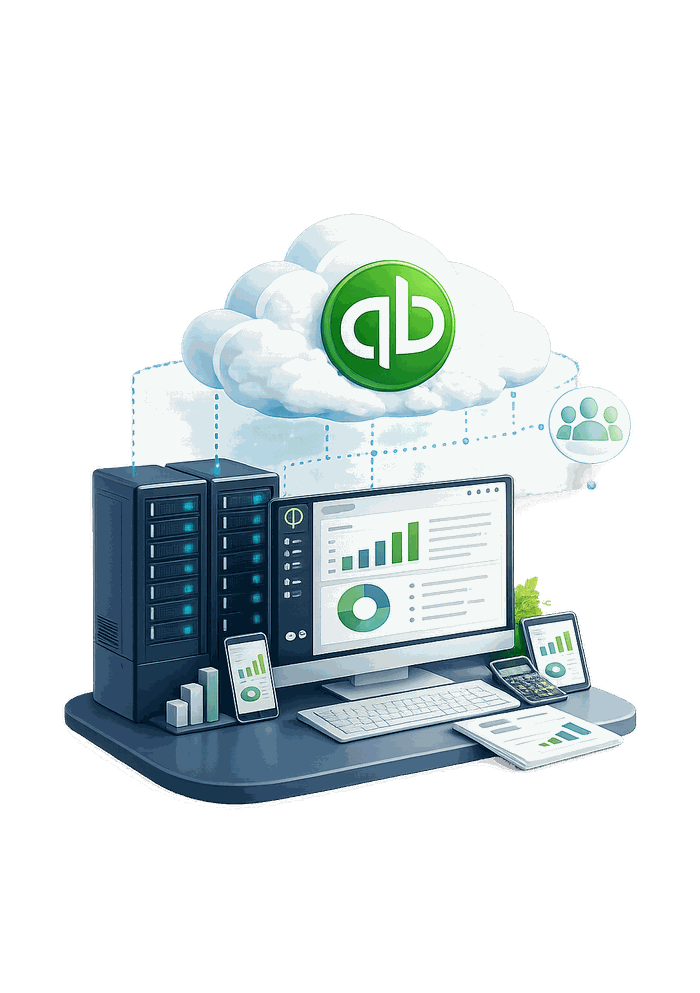
Cloud Innovics hosts QuickBooks Enterprise on secure managed servers — no local installation, no hardware upgrades. From General Business to Manufacturing, Nonprofit, and Retail editions, you get enterprise-grade accounting power with the flexibility, scalability, and affordability only the cloud can offer.
Built for Businesses That Outgrew Simpler Editions

QuickBooks Enterprise brings its own set of advanced features to serious financial record-keeping for small and medium businesses. Beyond bug fixes carried over from older versions, the current release adds meaningful new capability — covered in detail below.
Salient Features of QuickBooks Enterprise
Knowing what’s available — and using it the right way — makes the biggest difference in getting value from QuickBooks Enterprise. Here’s what stands out.
Benefits of QuickBooks Enterprise on Cloud
QuickBooks Enterprise problems that hosting actually solves
Most support calls we hear about are not about QuickBooks Enterprise itself. They are about the machines and networks around it. Here are the five we see most, and what changes when the software and the company file run in a managed environment.
Who uses hosted QuickBooks
Hosting fits a few situations especially well. If one of these sounds like your firm, the setup is usually a short migration and a free trial away.
How firms move onto hosted QuickBooks Enterprise
Most firms worry migration will disrupt active work. Here’s exactly what happens, in order.
QuickBooks Enterprise hosting plans for every business size
Transparent per-month pricing — no hidden setup fees. Unlimited bandwidth keeps performance seamless regardless of how many users are connected at once.
Value
Additional Pricing
Need a custom setup? Get a tailored quote for your business’s user count and storage needs.
Secure server locations, close to you
Our data centers sit in risk-free zones shielded from natural disasters, with enterprise power, cooling, and network redundancy — positioned to keep latency low no matter where your team logs in from.
Security & Compliance
Certifications your compliance team will recognize
The same audited infrastructure secures every QuickBooks Enterprise edition we host — General Business, Manufacturing, Nonprofit, and Retail — regardless of which plan you’re on. Our infrastructure holds SOC 2 Type 2 certification directly; the facilities it runs in separately maintain the certifications below at the facility level.
Independently audited security controls
Information security management (facility level)
Safeguards for sensitive client records (facility level)
Payment data handling standards (facility level)
Type 2 service organization controls (facility level)
Hosting vs. Local Install
QuickBooks Enterprise Hosting vs. Running Enterprise Locally
Hosting keeps the same QuickBooks Enterprise edition and license your firm already uses and moves where it physically runs. Here’s how that compares to keeping Enterprise on an in-house server.
| Hosted QuickBooks Enterprise | Installed Locally | |
|---|---|---|
| Multi-user access | Same company file, from any device or location | Requires an in-house server and local network setup |
| Hardware | Runs on our managed servers — nothing to buy | Requires a dedicated server plus periodic hardware refreshes |
| Maintenance | Updates, backups, and monitoring handled for you | Your IT staff manages updates, backups, and failures |
| Adding users | Add a user instantly for a flat per-user fee | May require a hardware or network upgrade |
| Cost structure | Flat monthly hosting fee, free migration and setup | Upfront server cost plus ongoing in-house IT time |
See how hosting works in more detail on our QuickBooks hosting page.
7 questions to ask before you host QuickBooks Enterprise anywhere
Every hosting provider’s homepage looks reassuring. These are the questions that actually separate a real setup from a reseller with a website.
Run through these seven with any provider you’re evaluating, including us — the answers should hold up whether it’s January or June, not just during the sales call.
What customers say about Cloud Innovics
Reviews left by customers on Serchen, an independent software review site.
“We have been using Cloud Innovics for our QuickBooks hosting for several years. The system has made it much easier for our team to access QuickBooks remotely and work with the same company files.”
“Their support has been stellar! All of our technical questions have been answered the same day and typically on the initial call.”
“Technical support is superb. Round the clock support is available making it easy for us to communicate. Overall great service!!”
“Excellent work and very professional. Excellent support, fixed my problem printing promptly.”
FAQs
Frequently asked questions about QuickBooks Enterprise hosting
What is QuickBooks Enterprise hosting?
Your QuickBooks Enterprise software and company file run on our remote servers instead of a local machine. You connect over the internet through a remote session that looks and works exactly like a local install, with no local server hardware to buy or maintain.
Which QuickBooks Enterprise editions can you host?
We host General Business, Manufacturing & Wholesale, Nonprofit, and Retail editions of QuickBooks Enterprise, on the same infrastructure and security stack across all four.
How many users can access hosted QuickBooks Enterprise?
Starter includes 2 users, Growth includes 5, and Enterprise includes 12 — all on the same company file at the same time. Additional users can be added to any plan for a flat per-user fee.
Is Microsoft Office included with hosting?
Not by default. Office can be added to any plan for +$10/user/month, running on the same hosted desktop as QuickBooks Enterprise.
Is migration and setup really free?
Yes. Migration and setup are included at no cost on every plan, regardless of size.
Is there a minimum contract length?
No. Plans are billed month-to-month — scale up, scale down, or cancel as your firm’s needs change, with no long-term lock-in.
Can I host QuickBooks Enterprise alongside tax software?
Yes. Many firms host QuickBooks Enterprise alongside ATX, Drake, Lacerte, or ProSeries in the same managed environment, so client data moves between systems without extra exporting.
What security certifications does Cloud Innovics hold?
SOC 2 Type 2 directly. ISO 27001, HIPAA-ready standards, PCI DSS, and SSAE 18 Type 2 (SOC 1) apply at the facility level where our infrastructure runs. See our full data center & infrastructure details →
Where are your data centers located?
Phoenix, Arizona is our primary facility, with redundancy sites in Ashburn, Virginia and Atlanta, Georgia.
What’s your uptime guarantee?
Every plan is backed by a 99.9% uptime SLA, with 24/7 server monitoring and daily backups.
Can I get a dedicated server instead of a shared plan?
Yes. A dedicated server is available as a custom-quoted add-on for firms that want isolated infrastructure rather than a shared Starter, Growth, or Enterprise plan.
How much does additional storage or an extra application cost?
Additional storage is +$2/GB/month and an additional application is +$10/app/month, on top of any plan.
Can I print directly from hosted Enterprise to my office printer?
Yes. Universal printing lets you print from your hosted Enterprise session to any printer on your local network, the same as a local install.
What happens to my data if I cancel hosting?
You get a full export of your company files and data before your account is closed, so nothing stays locked on our servers.
Can I see proof of your certifications before switching?
Yes. Ask for a copy of our SOC 2 Type 2 report before signing anything — a legitimate provider will share it without hesitation. We’ll also explain which other certifications apply at the data-center facility level, so you know exactly what’s ours directly and what isn’t.
Why is QuickBooks Enterprise slow in multi-user mode, and will hosting help?
Multi-user slowness usually comes from the company file being accessed across a network — over Wi-Fi, a VPN or a shared drive — so every action waits on that connection. With hosting, QuickBooks Enterprise and the company file run on the same server and your team connects through a remote desktop session, so only screen updates travel over the internet. It won’t fix a badly oversized company file, but it takes the office network out of the equation.
Will hosting handle a large Enterprise company file?
Hosted plans include dedicated resources for your environment — from 6GB vRAM and 10GB SSD on Starter up to 10GB vRAM and 40GB SSD on the Enterprise plan — and extra storage is +$2/GB/month. If your company file is large, tell us its size when you start a trial so we can recommend the right plan.
Do I have to move to QuickBooks Online?
No. Hosting keeps you on QuickBooks Desktop — the same interface and file format you use today — so there is no data conversion and no new product to learn. Moving to QuickBooks Online is a separate decision; the comparison on this page and our knowledge-base guide to migration costs can help you weigh it.
Can team members in different locations work in the same company file at once?
Yes, within your plan’s user count and your QuickBooks license’s limits. Each person logs in with their own credentials from wherever they work, and everyone sees the same live company file.
Talk to a Real Person, Not a Ticket Queue
Ready to Move QuickBooks Enterprise to the Cloud?
Start a free 7-day trial today, or talk to our team about migrating your existing setup.